
Fast scanner
QR codes and barcodes, in batches, with a flashlight and sound feedback for dim warehouses.
Scan. Count. Find.
PacQR replaces the spreadsheet and the notebook: scan a QR code or barcode, find an item, count, move, lend. No account and no network needed: everything stays on your phone.
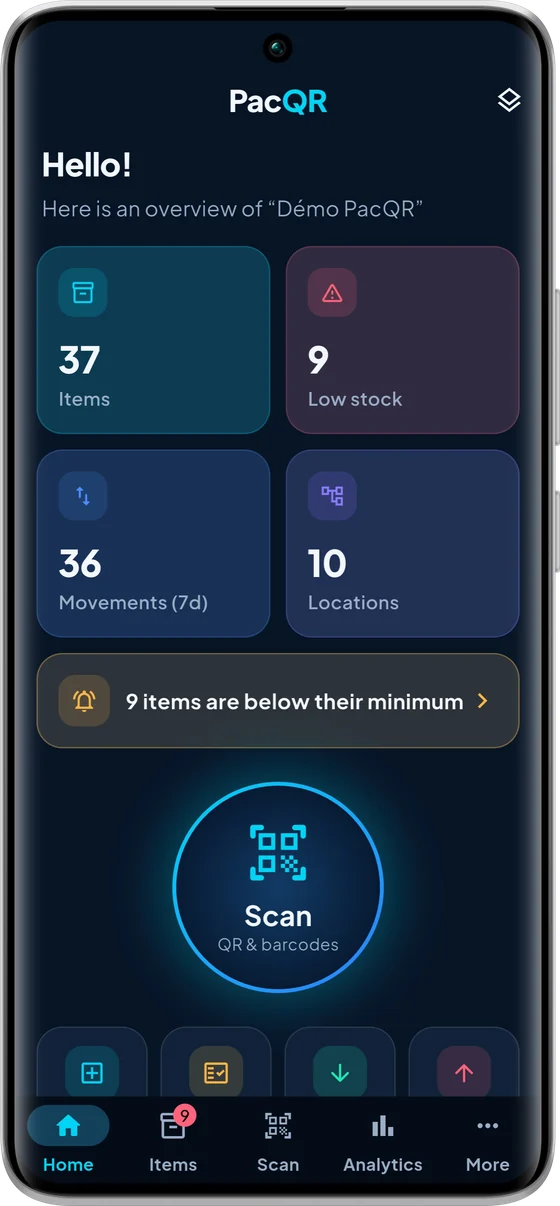
Built for makers, workshops, shops, nonprofits and field teams.
QR codes and barcodes, in batches, with a flashlight and sound feedback for dim warehouses.
Locations and sub-locations, stock in, stock out, transfers and a full history of every movement.
Count what you actually have, compare it to expected stock and apply the gaps with one tap.
Who has what, until when: returns and overdue loans tracked, lent equipment shown as unavailable.
A QR code for every item or location, as print-ready A4 PDF label sheets.
No account, no data sent. Backup and CSV or JSON export whenever you decide.
Workshop, shop, nonprofit or garage: PacQR fits your stock, with no account and no complicated setup.
Tools, hardware, consumables: know what is in the van, on the bench and in storage.
Track stock by location, stock in and out, and items below their minimum level.
Shared equipment, loans and returns: who has what, until when, and what is overdue.
Label the shelves, count fast and compare with expected stock.
Basement, garage, home workshop: a simple inventory, with no mandatory subscription.
From the home screen to a stock count, see PacQR in pictures.
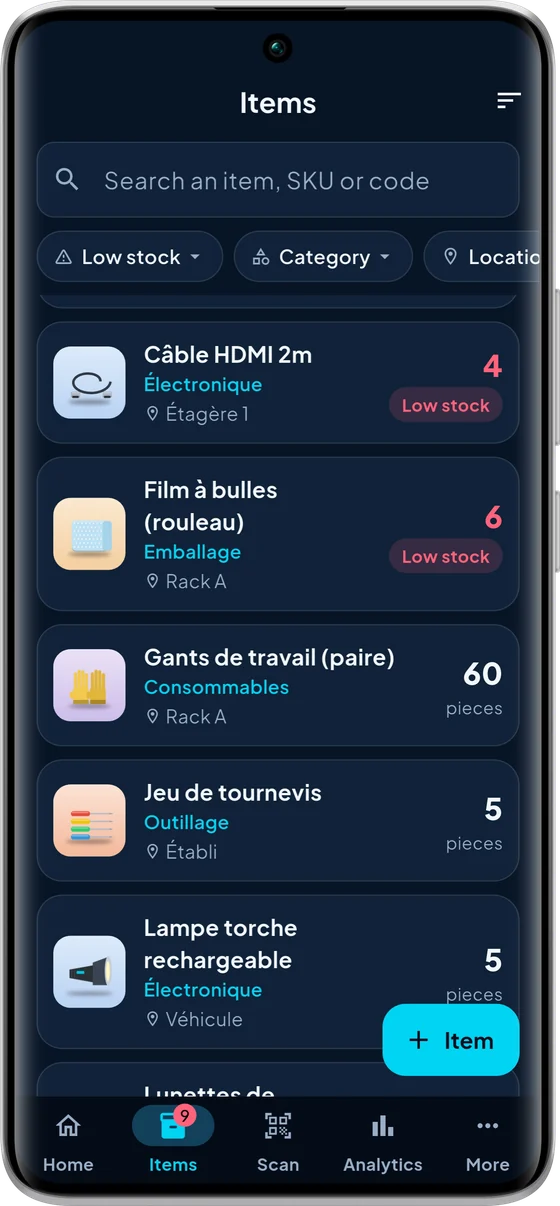
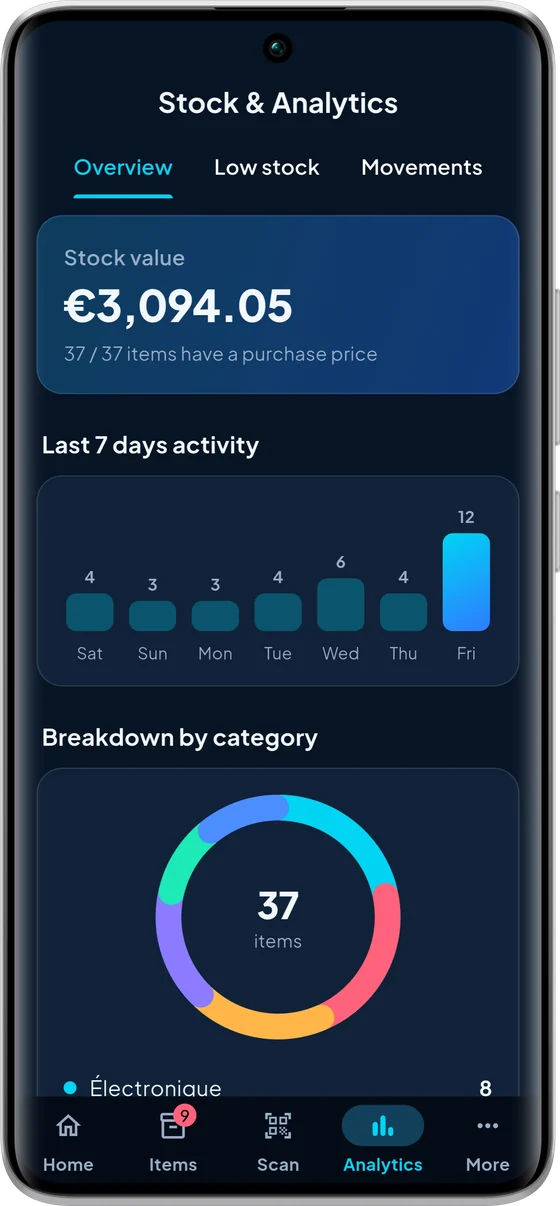
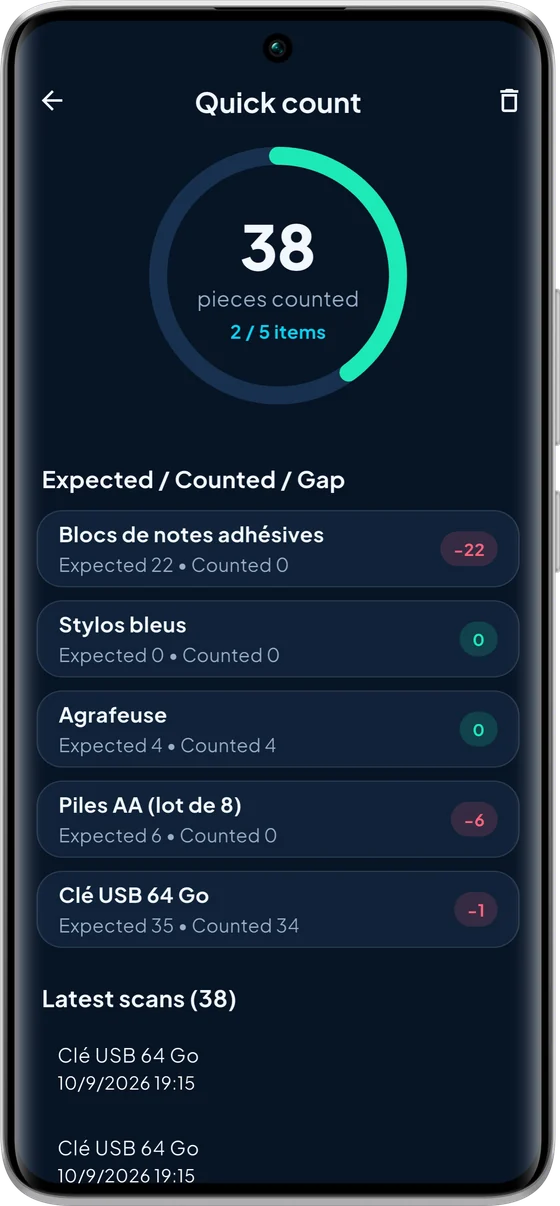
You can always view, edit and export everything, even beyond the free limits.
Everything to know before you scan your first item.
Yes. Inventories, scanning, stock counts, loans and labels all work fully offline, with no account. The internet is only used to show the free version's ads and to manage the Solo subscription.
QR codes and common barcodes (EAN, UPC, Code 128 and more) with the camera, in batches and with the flashlight. When a code is unknown, you can create the item in one tap from the scan result.
You start a count session and scan what you have in hand. PacQR compares it with the expected stock, shows the gap for every item and applies the corrections with one tap. A session can be resumed later, or deleted if it was started by mistake.
Yes: a QR code for every item or location. A single label is free; print-ready A4 PDF label sheets come with PacQR Solo.
No. Everything is stored on your phone, with no account. PacQR Solo's automatic backup writes copies to the folder you choose, for example on Google Drive: we cannot access them.
One inventory and 100 items, with scanning, stock counts, loans, stock alerts and exports, along with ads. You can always view, edit and export your data, even beyond the free limits.
Solo removes the limits (unlimited inventories and items) and the ads, and adds PDF label sheets and automatic backup to your own cloud. It comes as a monthly or yearly subscription, or a one-time lifetime purchase.
Yes: CSV import and export, and a full JSON backup, photos included, to switch phones without losing anything.