 AdMob dashboard for Android
AdBriefYour AdMob earnings on Android, at a glance
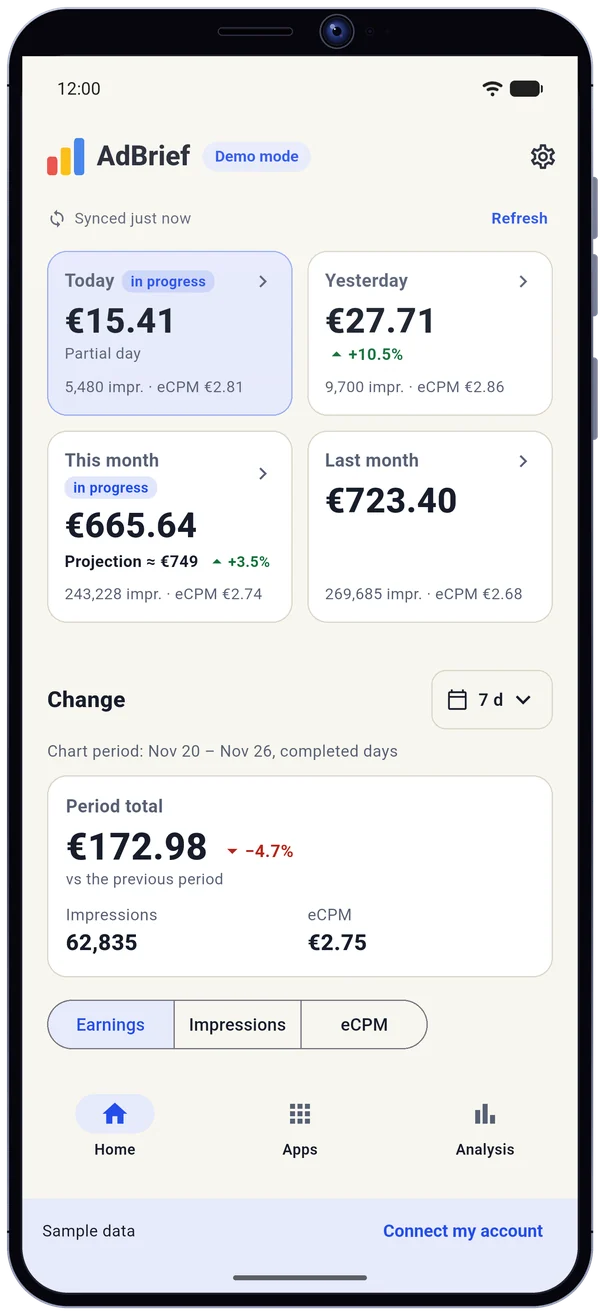
Estimated earnings, impressions and eCPM for today, yesterday and the month. AdBrief ranks your apps and shows which ones push the total up or down.

- Read-only access
- Demo without sign-in
- English and French
Three questions, three answers
How much did I earn?
Today, yesterday, this month and last month as soon as you open the app, with impressions and eCPM.
Which app?
Your apps ranked by earnings or by change, each with its trend line.
Why did it move?
Each app’s share of the rise or fall, and the effect of impressions compared with the effect of eCPM.
This month
Project your month end
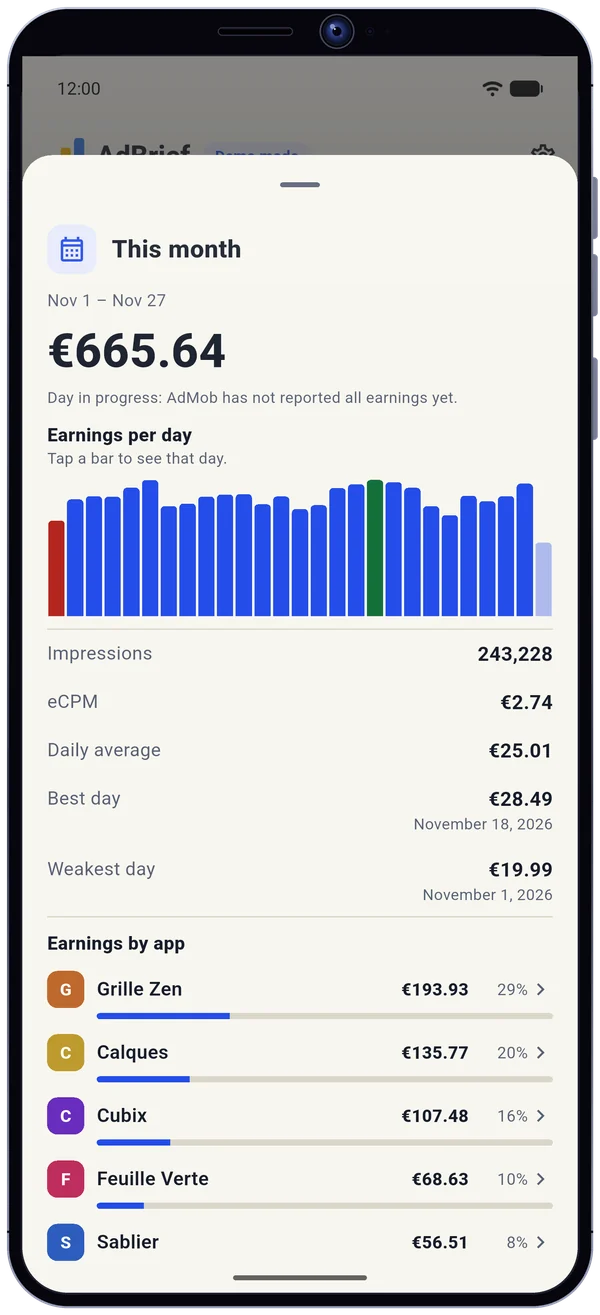
Tap a tile for the day-by-day detail, the best and weakest days, and each app’s share.
- A projected month total from your recent days, with a likely range
- Daily average, impressions and eCPM for the period
- An estimate: it is not guaranteed and does not come from Google
Your portfolio
Compare your apps
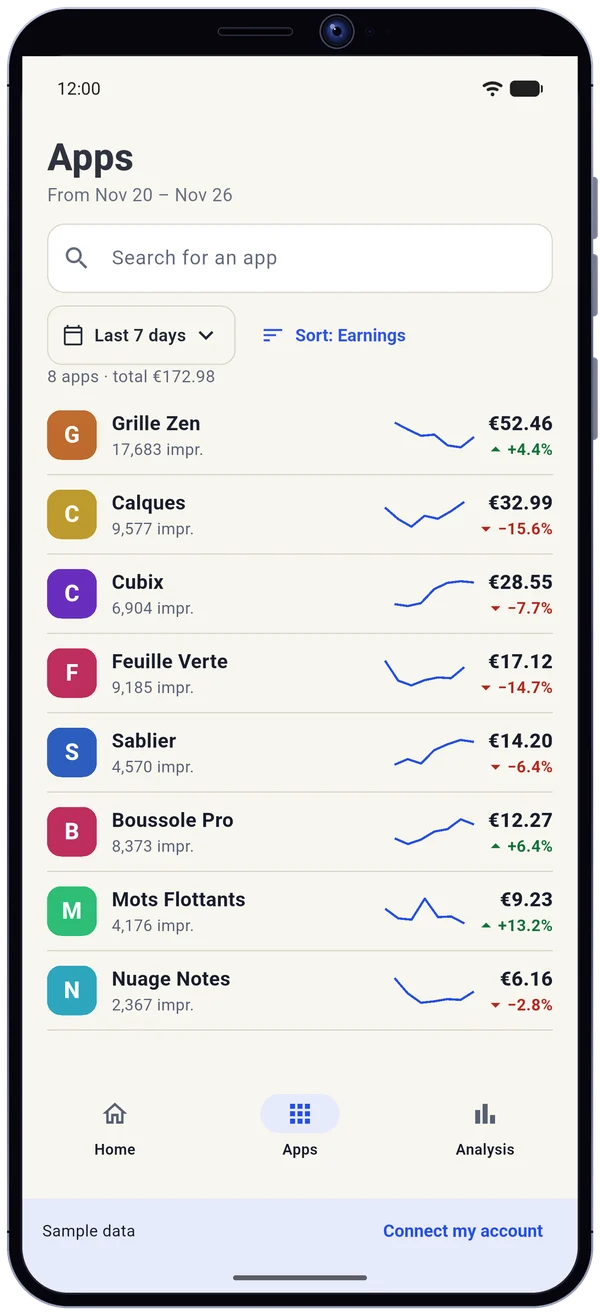
Every app in your reports on one screen, with earnings, impressions, trend and change.
- Search by name
- Sort by earnings or by change
- Last 7, 30, 90 or 365 completed days, or a custom range
App report
Earnings by country, format and ad unit
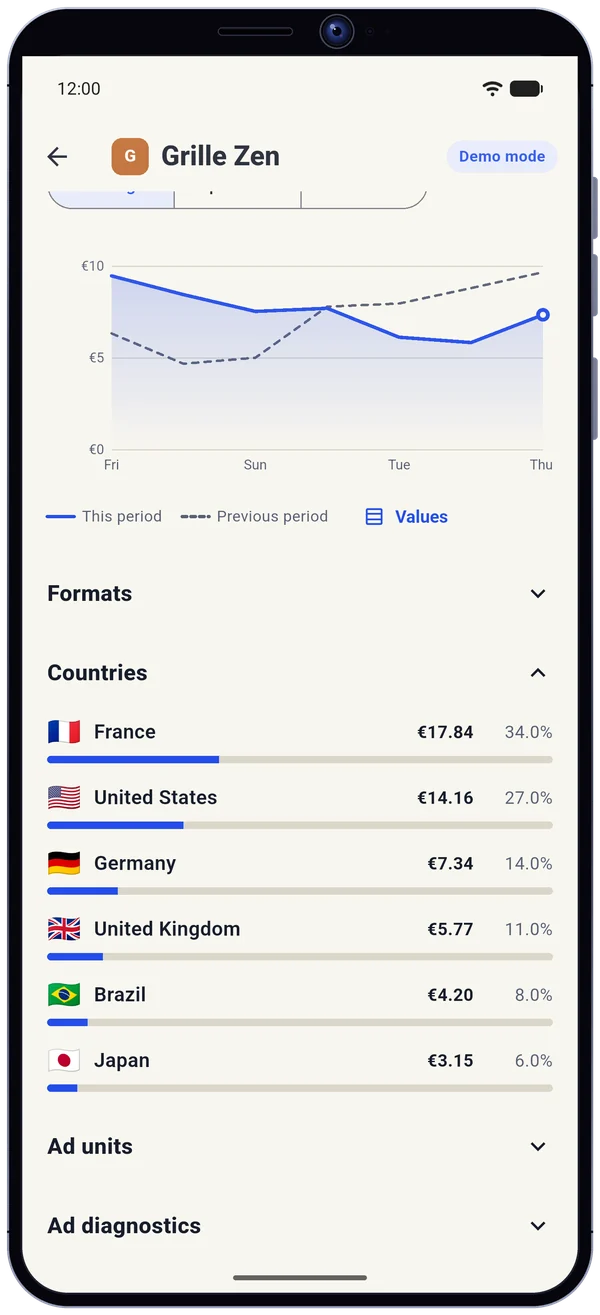
Open an app to follow its earnings, impressions or eCPM trend, with the previous period as a dashed line.
- Breakdown by ad format, country and ad unit
- Diagnostics: requests, match rate and show rate
- Depending on the data available in your reports
Analysis
See what moved your earnings
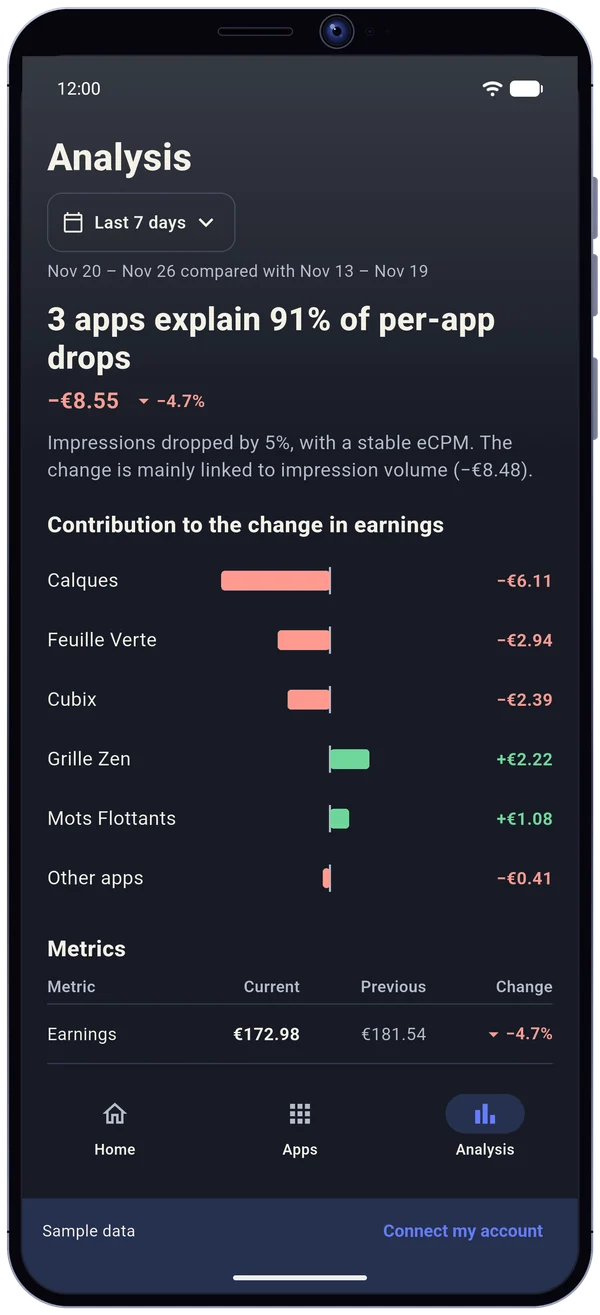
AdBrief compares the selected period with the one before, of the same length, and highlights the apps that weigh most in the difference.
- Each app’s contribution, in money
- Impression volume effect and eCPM effect
- Light or dark theme
AdMob widgets and alerts
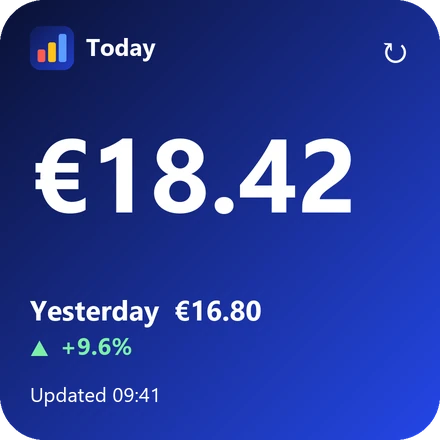
Keep today’s amount on your home screen without opening the app. Two widgets: today’s earnings, or the four-figure overview.
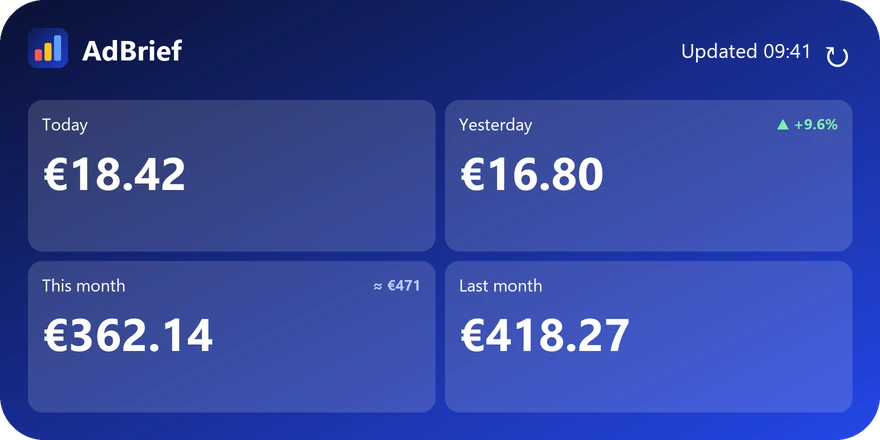
Daily summary
Yesterday’s and this month’s earnings, at the time you choose.
Drop alert
A notification when yesterday falls clearly below the average of the 7 days before.
Refresh rate
From 15 minutes to 12 hours. Android may delay refreshes to save battery.
Widgets and alerts need a connected account. Alerts stay off until you turn them on.
The numbers, and what they mean
- Estimated earnings
- The ad revenue reported by AdMob, in your account currency. It can be adjusted later.
- Impressions
- The number of ads shown in your apps over the period.
- eCPM
- Earnings ÷ impressions × 1,000, computed on the period totals rather than as an average of daily eCPMs.
- Projection
- The likely month total, estimated by AdBrief from recent completed days. It is not a Google figure.
Getting started
Explore the demo
Every screen with sample data: no account, no ads, no purchase.
Connect Google
Pick the account that can access your AdMob reports and allow read-only access.
Add a widget
Put your earnings on the home screen and turn alerts on if you want them.
On tablets too
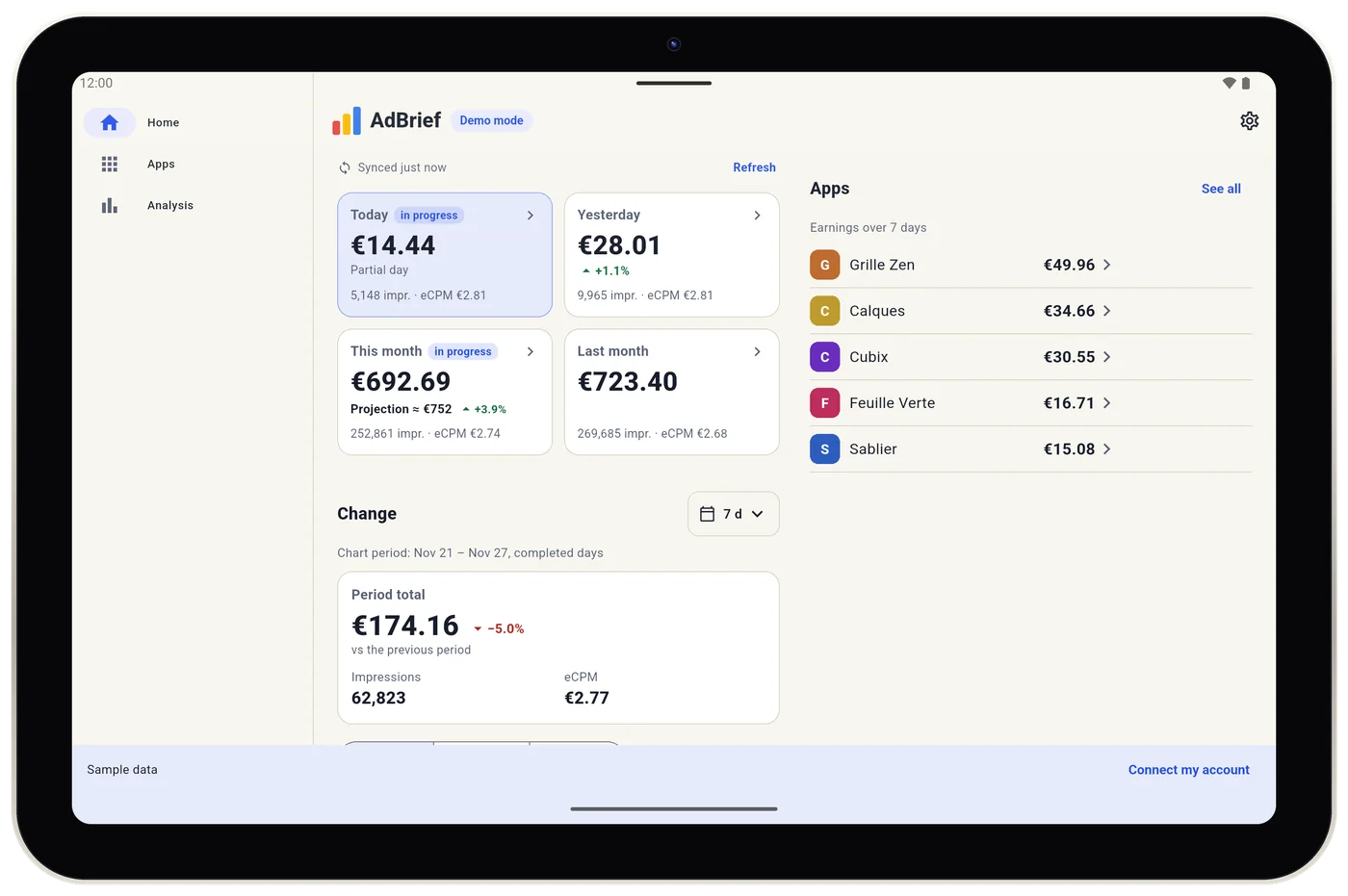
On a large screen, AdBrief moves navigation to the side and shows your app ranking next to the summary.
Your earnings stay between Google and you
AdBrief requests your reports directly from Google, from your device.
Read-only
The permission lets the app view AdMob reports. AdBrief cannot change anything in your account.
No Clearforge server
Your statistics are not sent to any studio server.
Erasable
Reports are cached on the phone, outside Android backups. Signing out deletes them.
Free, with a single option
| Free | No ads (one-time) | |
|---|---|---|
| Earnings, impressions, eCPM | Included | Included |
| App reports and analysis | Included | Included |
| Projection, widgets and alerts | Included | Included |
| No ads inside AdBrief | Not included | Included |
The one-time purchase removes the ads inside AdBrief, with no subscription. It has no effect on the ads in your own apps. The demo mode shows no ads.
AdBrief, the AdMob earnings dashboard for Android
AdBrief is an Android app for publishers who follow their Google AdMob ad revenue. It shows estimated earnings, impressions and eCPM for today, yesterday, this month and last month, with their trend over 7, 30, 90 or 365 days.
If you publish several apps, AdBrief ranks them by earnings or by change. Each app report breaks down ad formats, countries and ad units, and the analysis screen shows which apps explain a rise or a drop.
Widgets, a daily summary and a drop alert save you from opening the console for a quick check. Report access is read-only, a demo mode lets you try everything without signing in, and the app is available in English and French.
AdBrief frequently asked questions
What is AdBrief?
An independent Android dashboard showing estimated earnings, impressions and eCPM from your Google AdMob reports, in total and per app.
How can I check AdMob earnings on Android?
In AdBrief, connect the Google account that can access your AdMob reports. The home screen shows today, yesterday, this month and last month; the Apps tab breaks them down per app.
Is AdBrief an official Google app?
No. AdBrief is made by Clearforge Studio, an independent studio. Google AdMob is a service of Google LLC.
Can AdBrief change my AdMob account?
No. The app asks for read-only access to reports: it cannot create or edit apps, ad units or settings.
Are earnings shown in real time?
No. AdBrief displays the estimates available in AdMob reports, which can arrive several hours late. The current day is partial.
What is eCPM and how is it calculated?
eCPM is estimated ad revenue per 1,000 impressions. AdBrief divides total earnings by total impressions for the period, then multiplies by 1,000.
How does the month-end projection work?
AdBrief estimates the month total from recent completed days, taking the day of the week into account, and shows a range. It is an estimate with no guarantee.
Is there an AdMob widget for Android?
AdBrief offers two widgets: today’s earnings, and an overview with today, yesterday, this month and last month. They need a connected account.
Can I be warned when revenue drops?
Yes, with an optional alert when yesterday’s earnings are clearly below the average of the previous 7 days. A daily summary is also available.
Which currency are amounts shown in?
Your AdMob account currency, and days follow the reporting time zone of the account.
Can I try AdBrief without signing in?
Yes. The demo mode shows the screens with fictional apps and amounts, with no ads or purchases.
Is AdBrief free?
Yes, every statistic is available for free with ads. A one-time purchase removes the ads from the app.
Where does my data go?
Reports are requested directly from Google by your device and go through no Clearforge server. Advertising and purchase services follow their own rules, described in the privacy policy.