
Free
- Rotating, regular or day-by-day schedules
- Month and week calendar, widgets, reminders
- Planned, estimated and confirmed hours
- Calendar export (.ics) and JSON backup
- No ads
 My Work Schedule
 is a free shift planner and work calendar for Android. Build your rotating, night or split-shift schedule once, then see today, tomorrow and your next shift in seconds. Works offline, with no account and no ads.
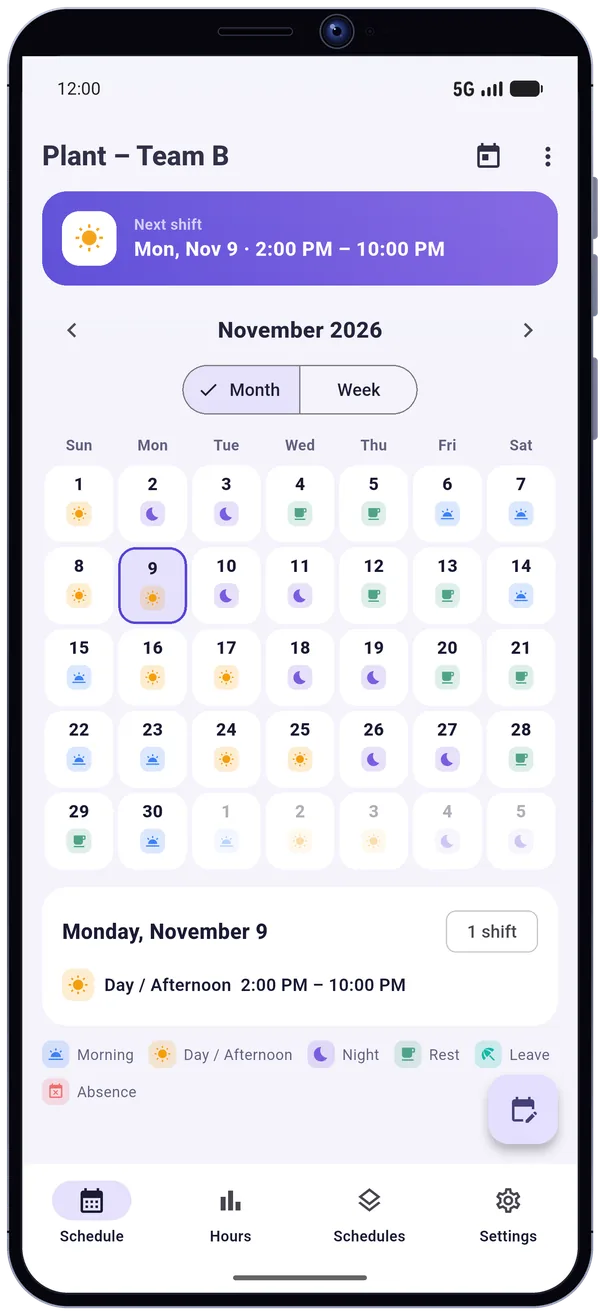
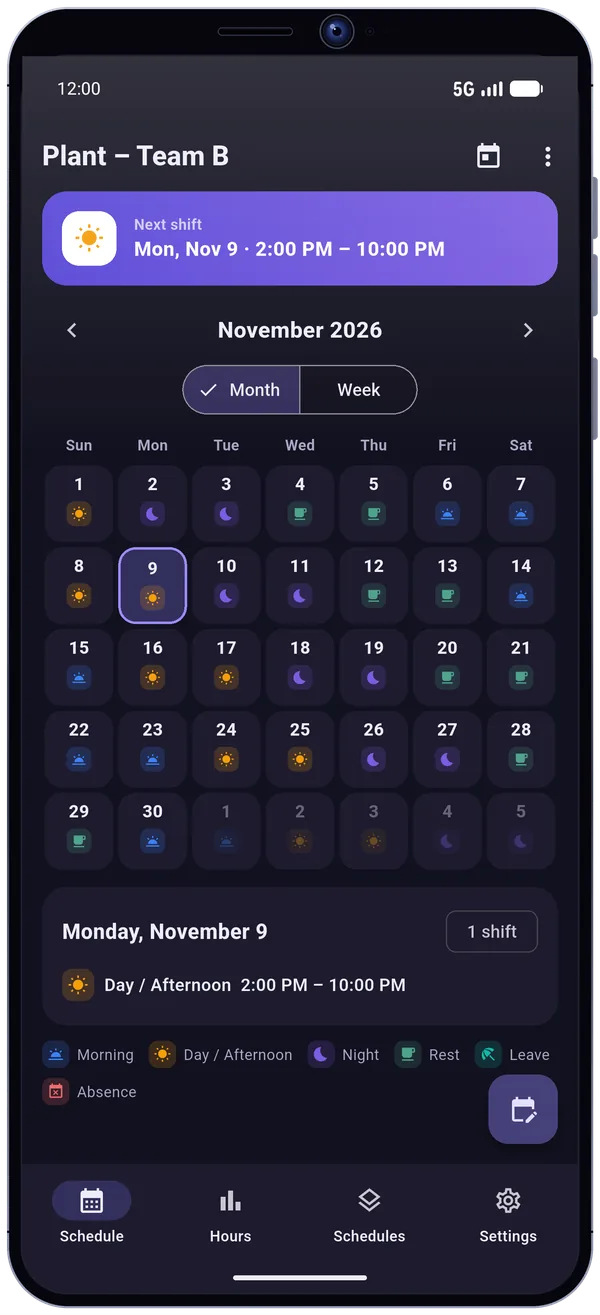
Pick a template: the cycle unrolls on the calendar, with a color and an icon for every shift type.
Templates are examples you can edit freely. You can also build any cycle from 1 to 56 days: 4 on 4 off, 2-2-3, DuPont, Pitman, continental… The app does not apply any collective agreement.
Ready-made 2x8 and 3x8 templates, or any cycle from 1 to 56 days: 4 on 4 off, 2-2-3, DuPont, Pitman, continental. Regular weekly schedules, or fill in your days one by one.
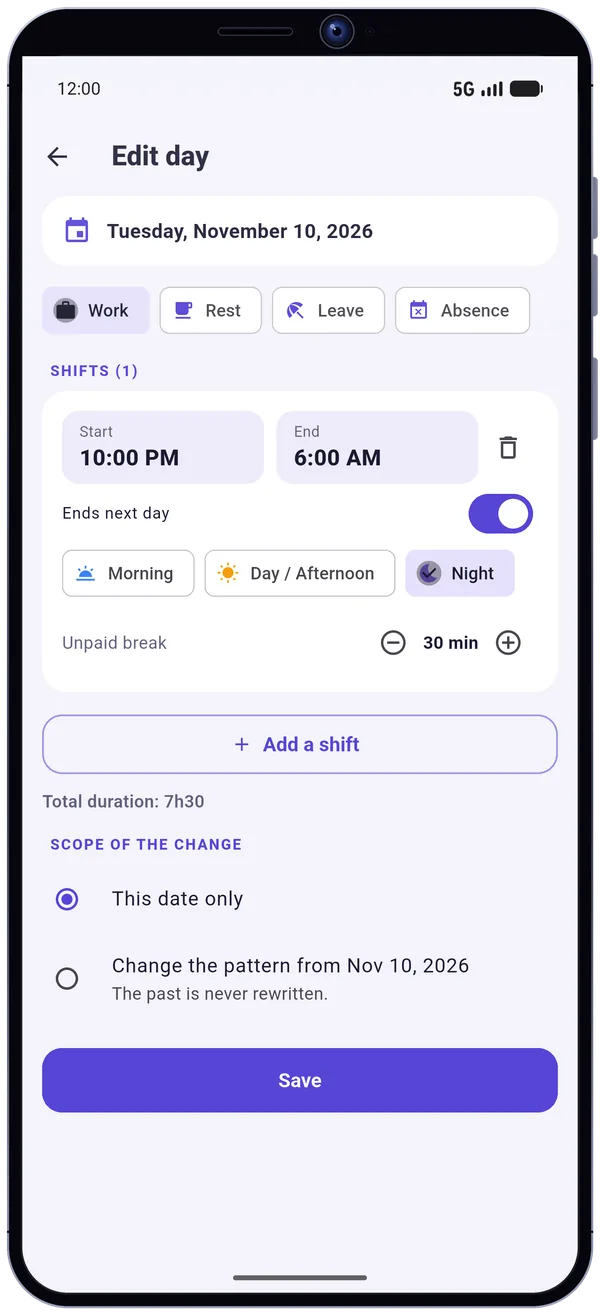
Several shifts a day, split shifts and night shifts that cross midnight. When the clocks change, a 10 pm to 6 am night is 7 or 9 real hours, and the app accounts for it.
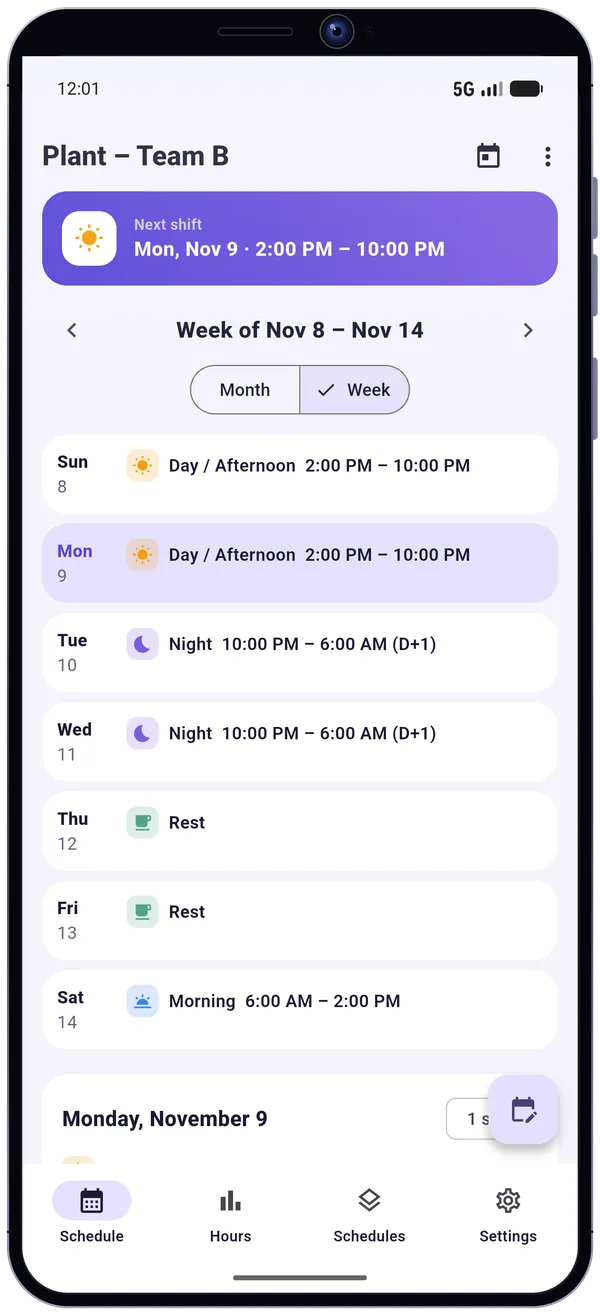
Month and week calendar: morning, afternoon, night, rest and leave are recognizable at a glance. A day you have not filled in is never mistaken for a rest day.
Swap, cancel or add a single shift: the cycle keeps going. Or change the pattern from a chosen date: past days stay untouched. Copy a day or a week, and undo your last change.
Totals by week and by month. Confirm a shift in one tap, or correct the start, end and break, and see the gap between planned and actual hours. Breakdown by shift type and CSV export with Premium.
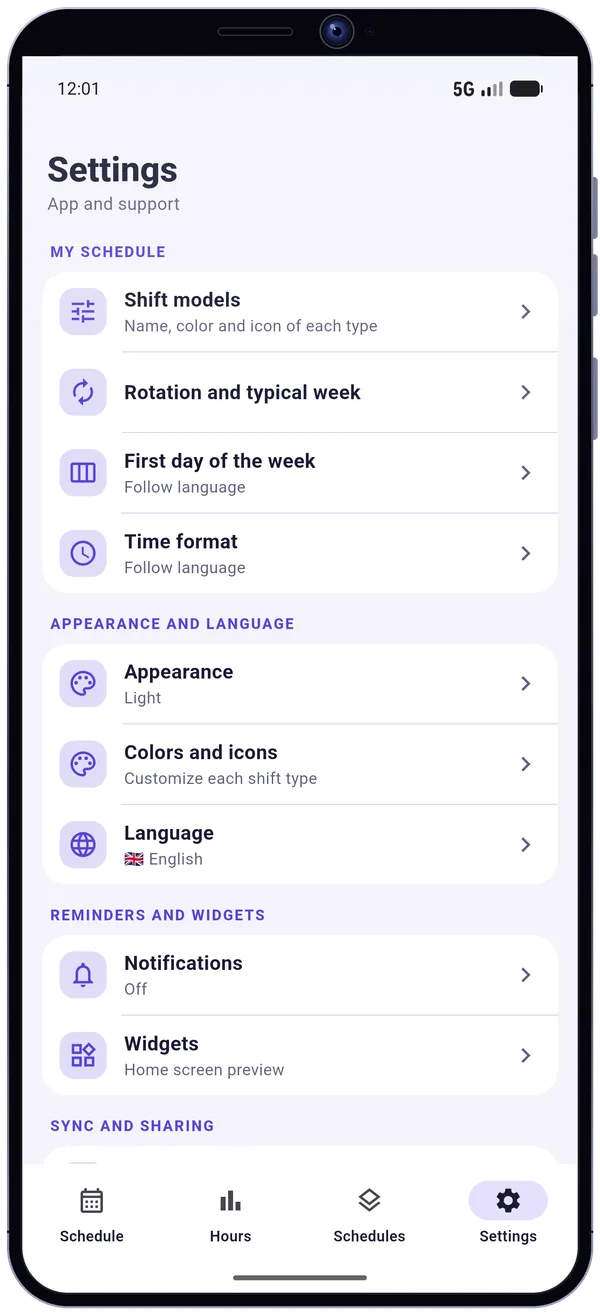
Optional reminders before your shift or the evening before, without internet. “Next shift” and “My week” widgets. Export to a calendar file (.ics) and JSON backup. Light and dark mode.
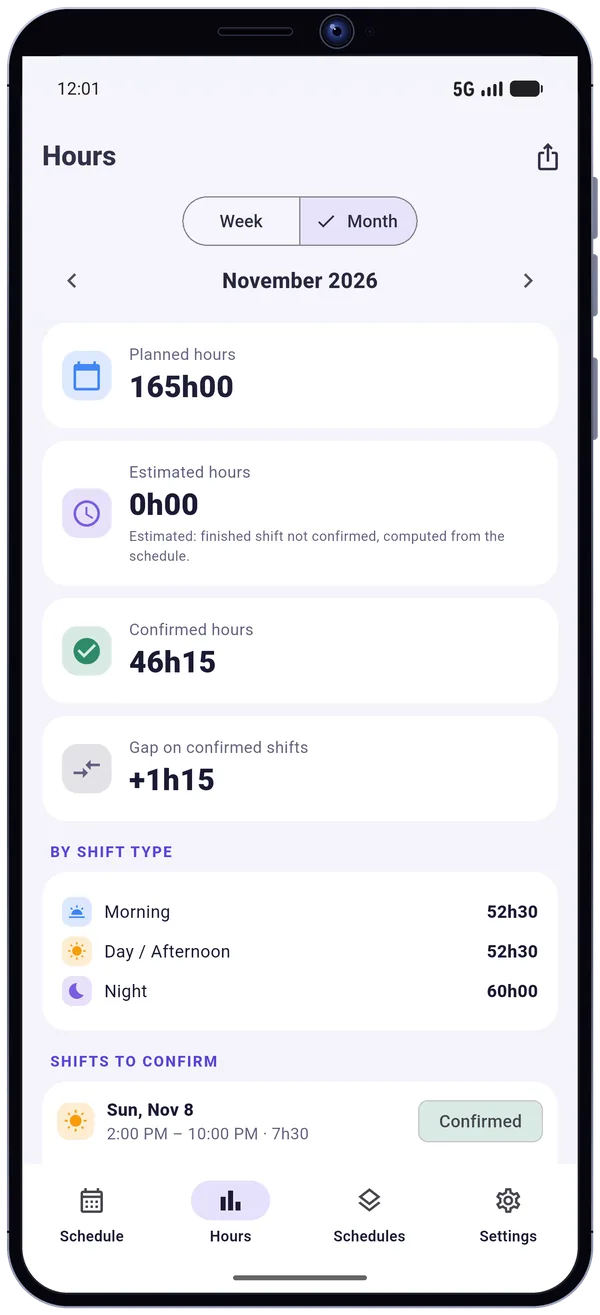
Three totals side by side, by week and by month: the hours your schedule plans, the hours estimated for finished shifts you have not confirmed yet, and the hours you have confirmed.
Example: a month of November, as shown on the Hours screen.
Invite someone by link, code or QR code: they see your schedule read-only, and never see your confirmed hours. You can remove access at any time.
You see the name and e-mail of the people you invite; they see “Shared by” followed by your name. Optional cloud backup and sync across your devices, with a Google account or an e-mail address.
My Work Schedule works offline and without an account: your schedule stays on your phone until you turn the cloud on.
Schedules, shift types, exceptions, confirmed hours and settings are saved on the device. We cannot see them.
If you turn it on, your schedules are stored with Cloudflare for backup, your other devices and sharing. Sign-in goes through Firebase Authentication.
No ads, no location tracking, no time clock. Anonymous crash reports, with no schedule data, help us fix bugs; you can turn them off.
Delete your cloud account from the app (Settings, Sync and sharing), a single schedule with its cloud copy, or all the data on the device.
A one-time purchase, no subscription.
My Work Schedule (Mon Planning) is a free Android shift planner and work calendar that works offline and without an account. It handles rotating schedules (2x8, 3x8, 4 on 4 off, 2-2-3, DuPont, Pitman, continental), regular weekly schedules and day-by-day entry, with several shifts a day, split shifts and night shifts that cross midnight.
A month and week calendar gives every shift type (morning, afternoon, night, rest, leave) its own color and icon, an Hours screen separates planned, estimated and confirmed hours, and widgets, optional reminders and a calendar (.ics) export complete the app. A schedule can be shared read-only with someone by link, code or QR code.
Everything essential is free and ad-free; Premium is a one-time purchase, with no subscription. Cloud sync is optional: without an account, your schedule stays on your phone. The app does not handle collective agreements: the rotation templates are examples you can edit.
Choose "Rotating schedule", pick the 3x8 template (morning, afternoon, night, rest), set the first day of the cycle, and save.
Yes. Everything works offline, on your phone.
It exports a calendar file (.ics) that you can import into any calendar app. It is not a live sync.
Nurses, care workers, factory and warehouse teams, security, drivers, emergency services, retail and hospitality: anyone who works rotating or irregular shifts.
Yes, everything essential is free and ad-free. Premium is a one-time purchase, with no subscription: several schedules, extended color palettes, statistics by shift type, CSV export and up to 5 guests.
Not until you turn the cloud on: without an account, your schedule stays on your phone. If you turn on backup and sharing, your schedules are stored with Cloudflare, and you can delete your cloud account from the app.
Yes, as an option: invite a person by link, code or QR code. They see your schedule read-only and never see your confirmed hours. You can remove access at any time.