
Mode
The app recognizes the string you play.
 Tuner
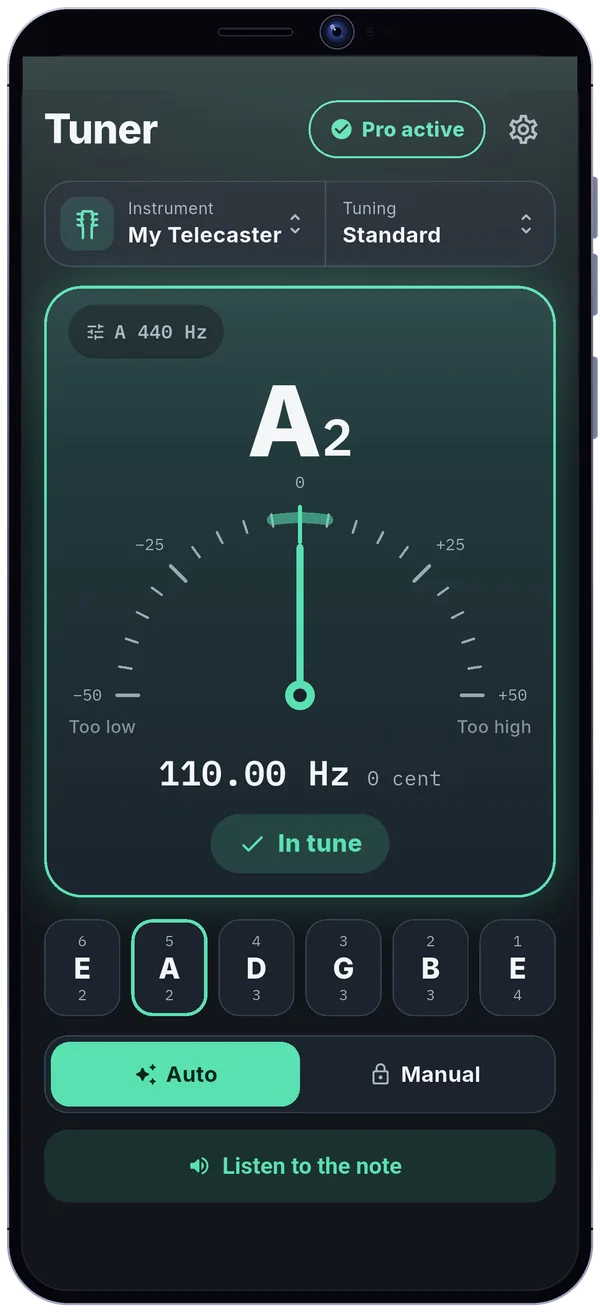
Open the app, play a string, and see right away which way to turn the tuning peg. Tuner opens straight on the tuner, with your last instrument and tuning. No account, even in airplane mode.
Try it: tune every string
Tuning peg
Drag the knob up or down, or use the keyboard arrows, until it says “In tune”.
Turn sound on to hear your string get closer to the note.
Note, octave, measured frequency and deviation in cents, with “Too low”, “Too high” or “In tune”. Nothing to interpret: you see which way to turn.
The string it recognized, as C D E or Do Ré Mi.
It leans towards “Too low” or “Too high”: turn the peg to bring it back to the center.
The measured frequency in Hz and the deviation in cents, for the curious.
“Too low”, “Too high” or “In tune”, in plain words.
Auto mode: the app recognizes the string you play. Manual mode: tap a string key to lock it.
The target note, played through the phone speaker.
For best results, play one string at a time in a quiet room, with the phone 15–30 cm from the instrument.
The app's settings, under your foot. Flip, turn, try: the dial above follows.
The app recognizes the string you play.
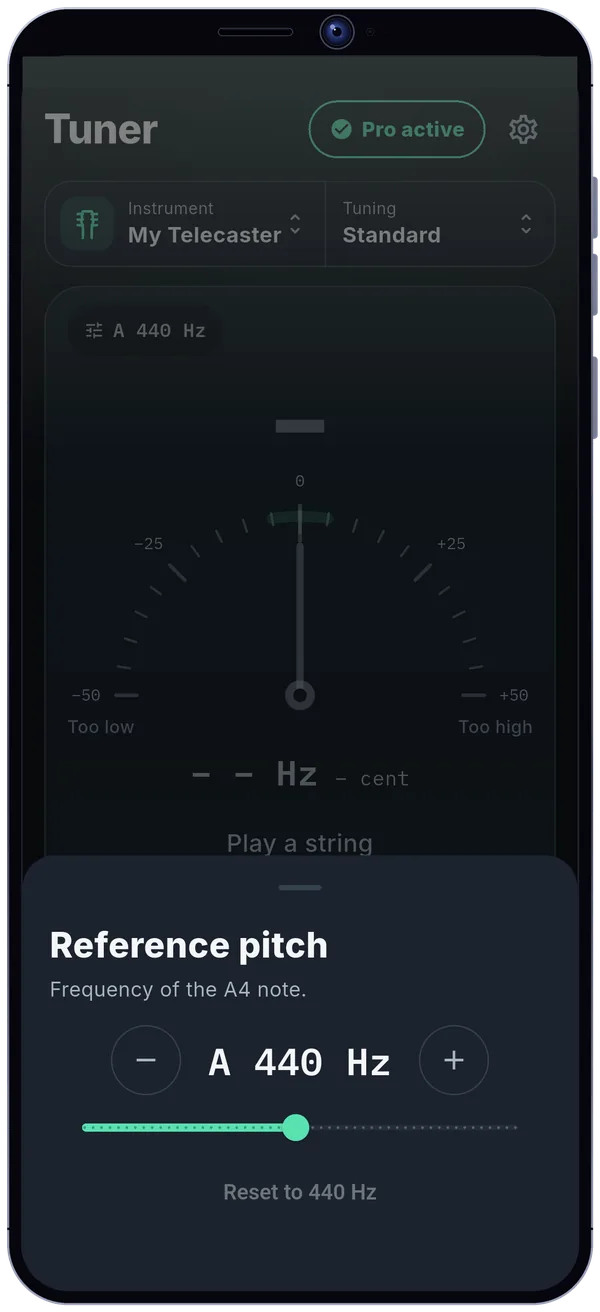
The pitch of A, adjustable from 415 to 466 Hz.
Note names as C D E or Do Ré Mi, your choice.
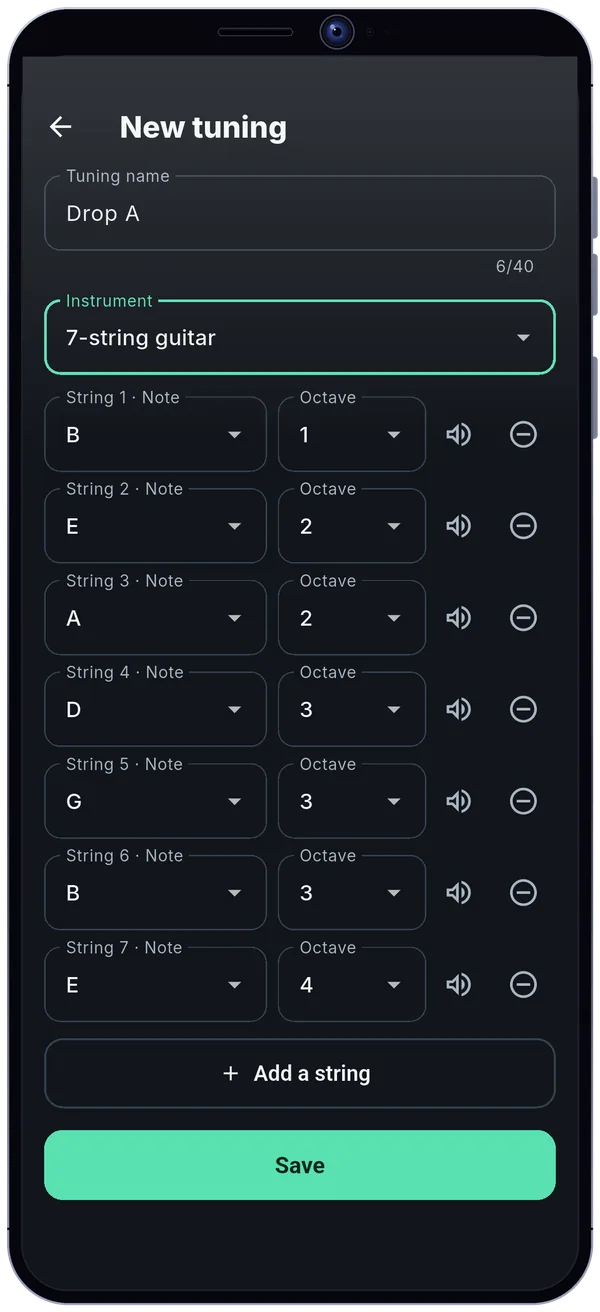
Custom tunings with 2 to 12 strings, string by string.
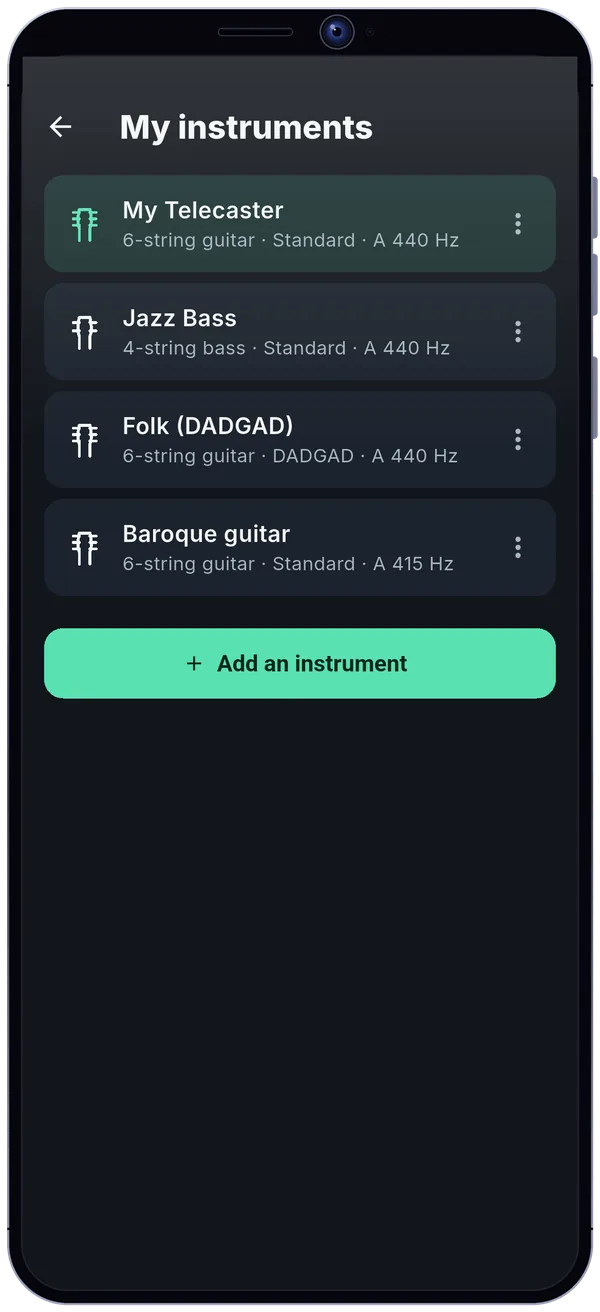
Switch instrument, tuning and pitch in one tap.
Works in airplane mode, from the very first launch.
Example profiles. Light, dark or automatic theme on top.
6-, 7- and 8-string guitars, 4- and 5-string basses, violin, viola and cello: every open string is placed on the frequency scale. Chromatic mode covers other instruments within the supported range.
Frequency (Hz, logarithmic scale)
The microphone is only used to measure the pitch of the note. No sound is recorded or sent anywhere: the audio stays in memory for the time of the calculation, then only a number is left.
No sound is recorded or sent, and no audio file is created.
It stops when the tuner is no longer visible or the app goes to the background.
Your instruments and tunings stay on your phone.
Google Play and RevenueCat for Pro, Google AdMob for the free version's banner (after your consent). No sound is passed to them.
A one-time purchase, no subscription.
An optional support also exists, in three amounts: it unlocks nothing and is never asked again.
Tuner (Guitar & Bass Tuner) is an Android app that tunes a guitar, bass, violin, viola or cello: you play a string and see right away which way to turn the tuning peg. It opens straight on the tuner, with your last instrument and tuning.
The dial shows the note, octave, measured frequency and deviation in cents, with “Too low”, “Too high” or “In tune”. Auto mode recognizes the string you play, Manual mode lets you lock one, and a reference note plays through the phone speaker. 6-, 7- and 8-string guitars, 4- and 5-string basses, violin, viola and cello are supported, along with a chromatic mode.
The microphone is only used to measure pitch: no sound is recorded or sent, and there is no account. The app works in airplane mode from the first launch. The free version shows a banner; Pro, a one-time purchase, removes it and adds instrument profiles, custom tunings with 2 to 12 strings and a reference pitch from 415 to 466 Hz.
Open the app, play a string and look at the dial: it says “Too low”, “Too high” or “In tune” so you know which way to turn the tuning peg. Play one string at a time in a quiet room, with the phone 15–30 cm from the instrument.
6-string guitar, 4-string bass, 5-string bass including the low B, 7- and 8-string guitars, violin, viola and cello, plus a chromatic mode for other instruments within the supported frequency range.
Yes, in airplane mode, from the very first launch.
No. The microphone is only used to measure the pitch of the note: no sound is recorded or sent. It stops as soon as the tuner is no longer visible or the app goes to the background.
In Auto mode, the app recognizes the string you play. In Manual mode, you tap a string key to lock it and tune it without ambiguity.
Yes, with Pro: the reference pitch is adjustable from 415 to 466 Hz.
Yes, with Pro: custom tunings with 2 to 12 strings, string by string. The Standard, Drop D and half step down presets are free depending on the instrument.
Yes, note names show as C D E or Do Ré Mi, your choice.
Yes, with a banner ad. A one-time Pro purchase removes it and adds instrument profiles, custom tunings and an adjustable reference pitch.
On Google Play: tap the Google Play button on this page. The app is available in English and French.