 dB Aura
Noise,live.
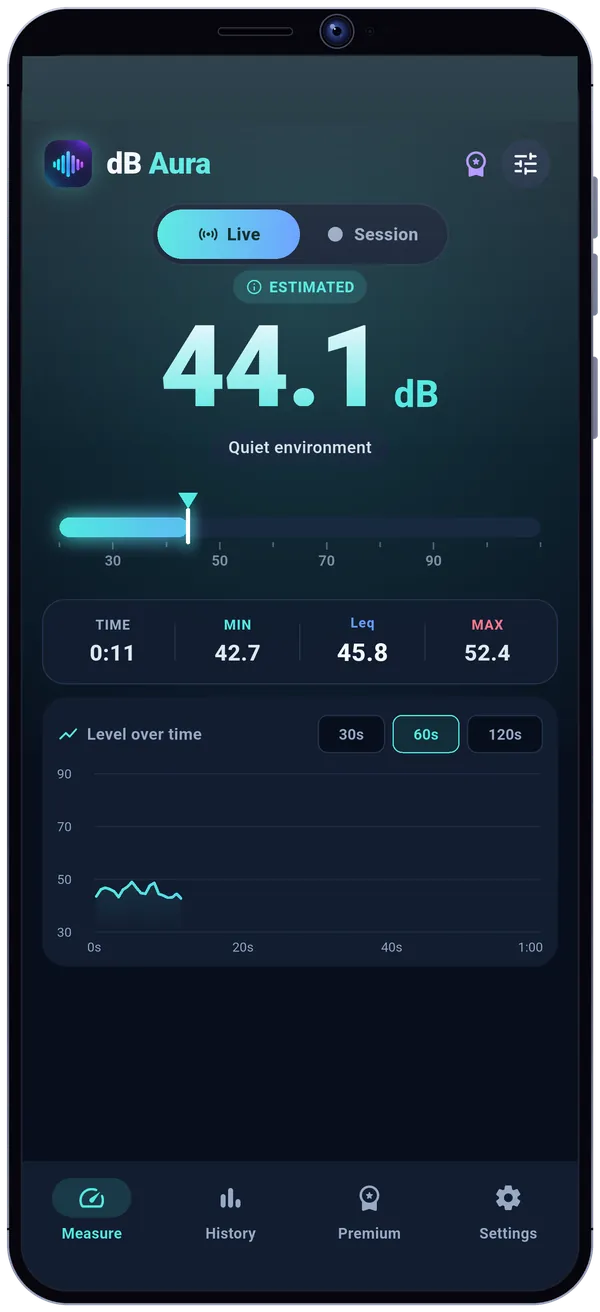
Tap Start: the sound level in dB appears on a clear gauge, with a curve that follows the noise second by second. Minimum, maximum, average, a history of your measurements. No account, even offline.

- No account
- Works offline
- Mic never records
What dB Aura does
The level, live
The number big, a label that says what you are hearing (conversation, busy street…) and a curve that follows the noise second by second.
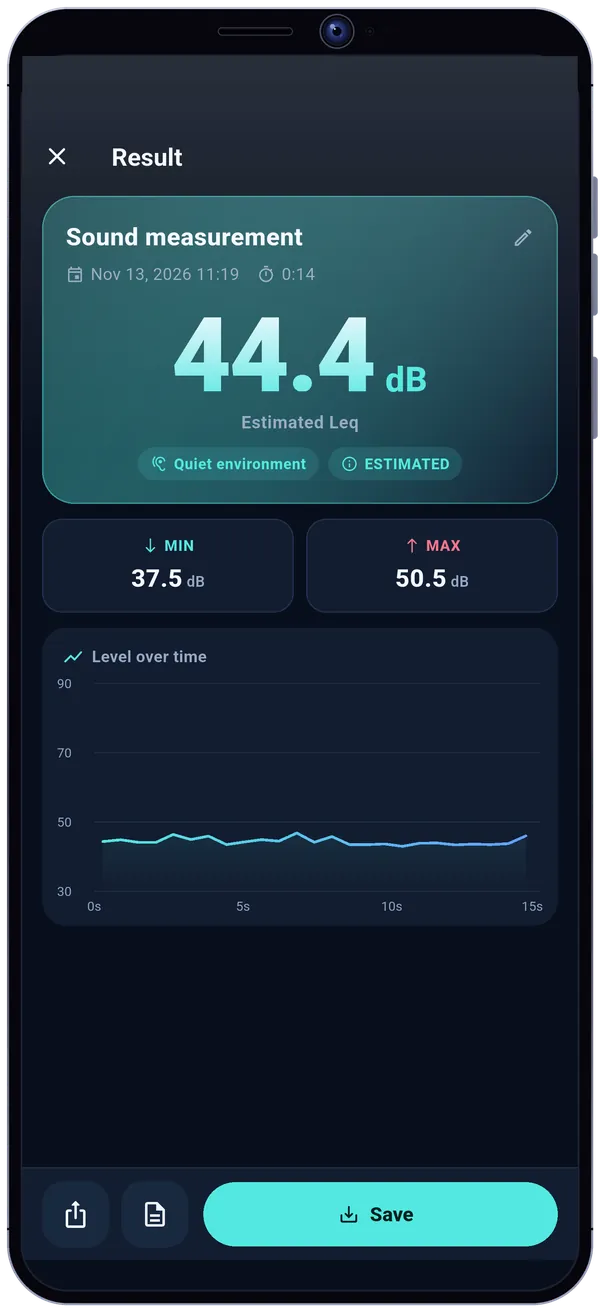
Min, max and Leq
The values that matter right below, with the energy average of the whole measurement. A badge reminds you the value is estimated.
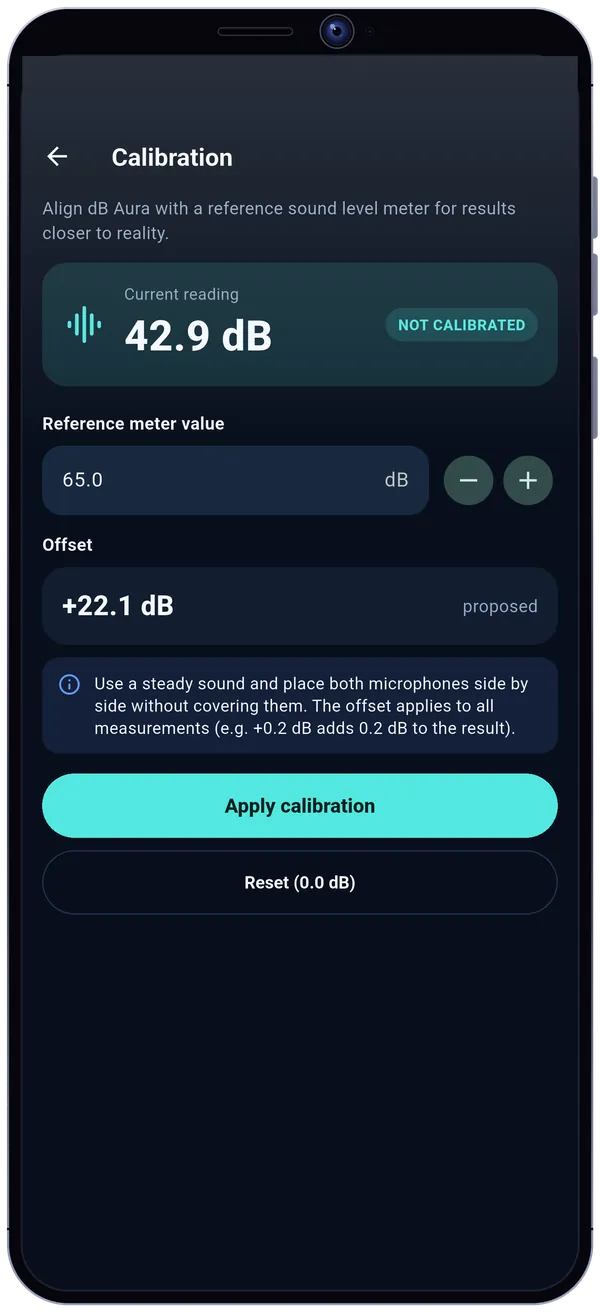
Calibratable
Align the app with a reference sound meter for values closer to reality. Badges flag a clipping microphone or a level that is too low.
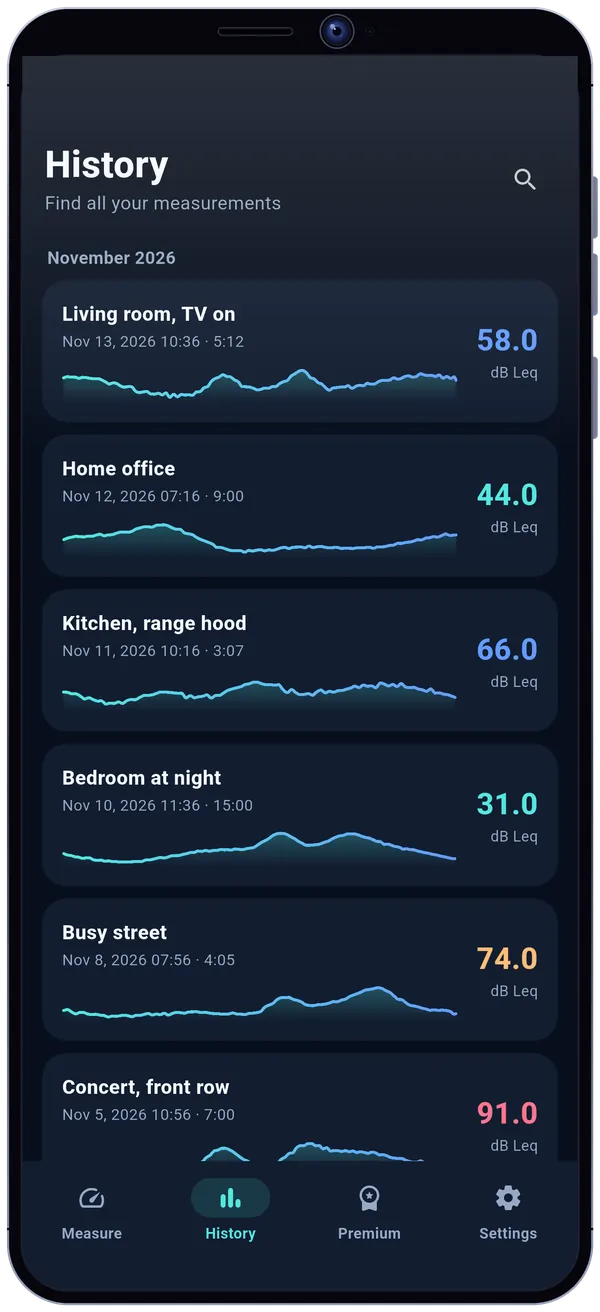
A measurement notebook
Save a session with a title and a note, find it in the history, share it as an image or export it as CSV.
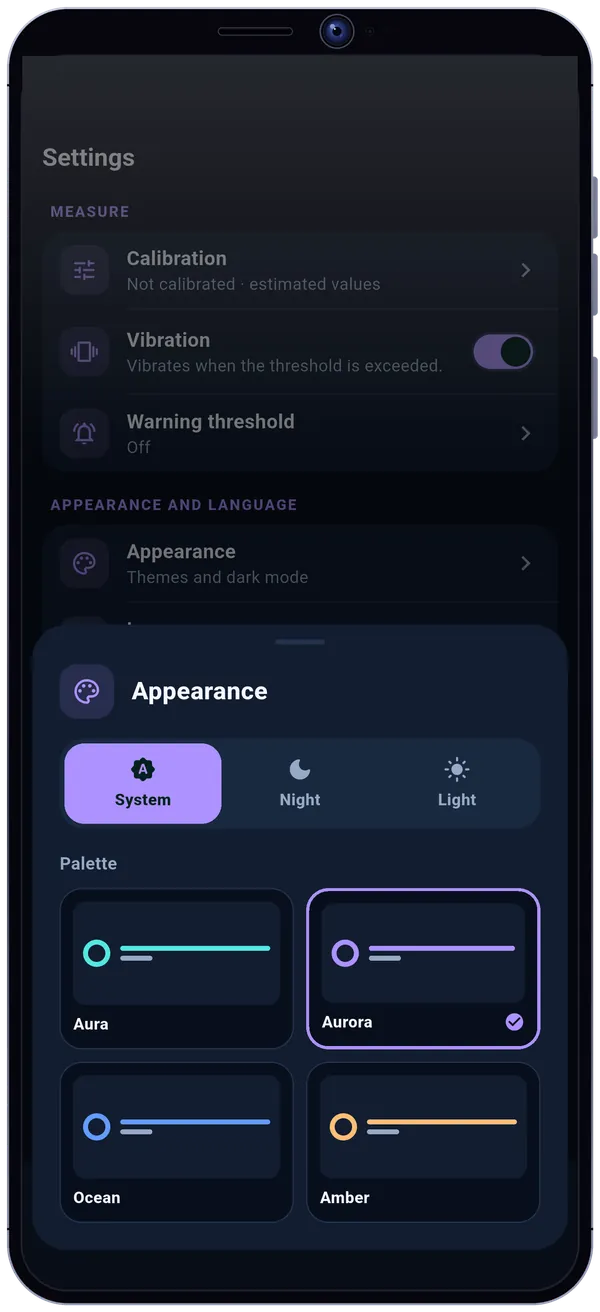
In your colors
System, Night or Light theme, and four palettes: Aura, Aurora, Ocean and Amber.
The noise scale, for real
A few reference points to put a number on what you hear.
- Rustling leaves20dB
- Whisper30dB
- Library40dB
- Quiet office44dB
- Conversation60dB
- Busy street74dB
- Vacuum cleaner82dB
- Lawn mower90dB
- Concert100dB
Sound level (dB)
Indicative reference points. dB Aura never says “safe” or “dangerous”: it gives you an estimated measurement and a context label.
The mic only measures
dB Aura listens to compute a level, not to keep what you say. The sound is analyzed on your phone, live, and then only a number is left.
No sound is recorded
Neither saved nor sent, and no audio file is created. Only level values are kept, when you save a session.
Microphone on only during a measurement
It is released as soon as the app leaves the screen.
No account, no location
Your sessions stay on your phone. “Erase all my data” is in the settings.
Third-party services, never your sound
Google Play and RevenueCat for Premium, Google AdMob for the free version's banner (after your consent, never during a measurement), Firebase Crashlytics for anonymous crash reports you can turn off.
- Read the privacy policy
Free, and Premium as a one-time purchase
| Free | Premium | |
|---|---|---|
| Unlimited live measurement | Included | Included |
| Calibration | Included | Included |
| Sessions kept | 3 | Unlimited |
| CSV export | Not included | Included |
| Vibration alert threshold | Not included | Included |
| Exclusive themes | Not included | Included |
| Ads | Banners | None |
Premium: a single, lifetime payment, no subscription, restorable. An optional support also exists, in three amounts: it removes ads and unlocks nothing else.
dB Aura, the sound meter and decibel meter to measure the noise around you
dB Aura (Decibel Meter: Sound Level dB) is an Android app that estimates the ambient sound level in decibels with your phone's microphone. Tap Start: the level in dB appears live on a gauge, with the minimum, the maximum, the energy average (Leq) and a curve over 30, 60 or 120 seconds, plus a context label, from a whisper to a busy street.
Values are estimates and depend on your phone's microphone: you can calibrate the app against a reference sound meter, and badges flag a calibrated measurement, a clipping microphone or a level too low to be reliable. You save a session with a title and a note, find it in the history, share it as an image and, with Premium, export it as CSV.
Sound is analyzed on the phone, in real time, and is neither recorded nor sent; there is no account and no location. The free version shows a banner, never during a measurement; Premium, a one-time lifetime payment, removes it and keeps an unlimited number of sessions, and adds CSV export, a vibration alert threshold and exclusive themes.
dB Aura: frequently asked questions
How do I measure noise with my phone?
Open dB Aura and tap Start: the sound level appears in decibels, live. Hold the phone still with the microphone uncovered, and let the measurement run for a few seconds to get a representative minimum, maximum and average (Leq).
Are the decibels shown accurate?
They are estimates: they depend on your phone's microphone and audio processing. To get closer to reality, calibrate the app against a reference sound meter. dB Aura is not a legal metrology instrument.
What is Leq?
Leq is the energy average of the sound level over the length of the measurement: the steady level that would have produced the same sound energy. It tells you more than a simple average when the noise varies.
How do I calibrate the sound meter?
Place the phone next to a reference sound meter, facing a steady sound, and enter the meter's value: dB Aura suggests an offset and applies it to all measurements. You can reset it at any time.
Does dB Aura record sound?
No. The microphone is only used to compute a level: no audio recording is saved or sent. It is only used during a measurement, while the app is open on screen.
Can I export or share my measurements?
Yes: you share a result as an image, and Premium lets you export your sessions as CSV.
Does dB Aura work offline?
Yes. Measuring and the history need neither an account nor a connection.
Is the app free?
Yes, with a banner ad outside measurements and 3 sessions kept. A one-time Premium payment removes ads and adds unlimited sessions, CSV export, the vibration alert threshold and exclusive themes. There is no subscription.
Where can I download dB Aura?
On Google Play: tap the Google Play button on this page. The app is available in English and French.