 ToneDry
Push the waterout of your speaker.
A splash, a swim, a phone caught in the rain: water stays trapped and muffles the sound. ToneDry plays a low, undulating sound that vibrates the speaker membrane to help the water come out. A 30-second cycle, one tap.

- No account
- Microphone never used
- 6 languages
A low sound, chosen for water
Each cycle sweeps a range of frequencies built for its use: water around 165 Hz, dust in pulses, a deeper clean over a wide range. All of them sit in the low end, where the membrane vibrates enough to dislodge water.
- Watersweep around 165 Hz
- Dustpulses at 260 Hz
- Deep cleansweep from 100 to 1,200 Hz
- Speaker testsweep from 20 Hz to 20 kHz
- Adjustable frequencyProfrom 20 Hz to 20 kHz, with Pro
Frequency (Hz, logarithmic scale)
Four steps, thirty seconds
Volume to the max
Unplug headphones and Bluetooth. The app warns you if an accessory is connected and raises the volume for you.
Speaker facing down
Hold the phone upright with the speaker at the bottom, away from your ear.
Start the cycle
Thirty seconds, a clear countdown and a button to stop at any time.
Compare
Clearer, same, hard to say: repeat if needed.
Easy to follow
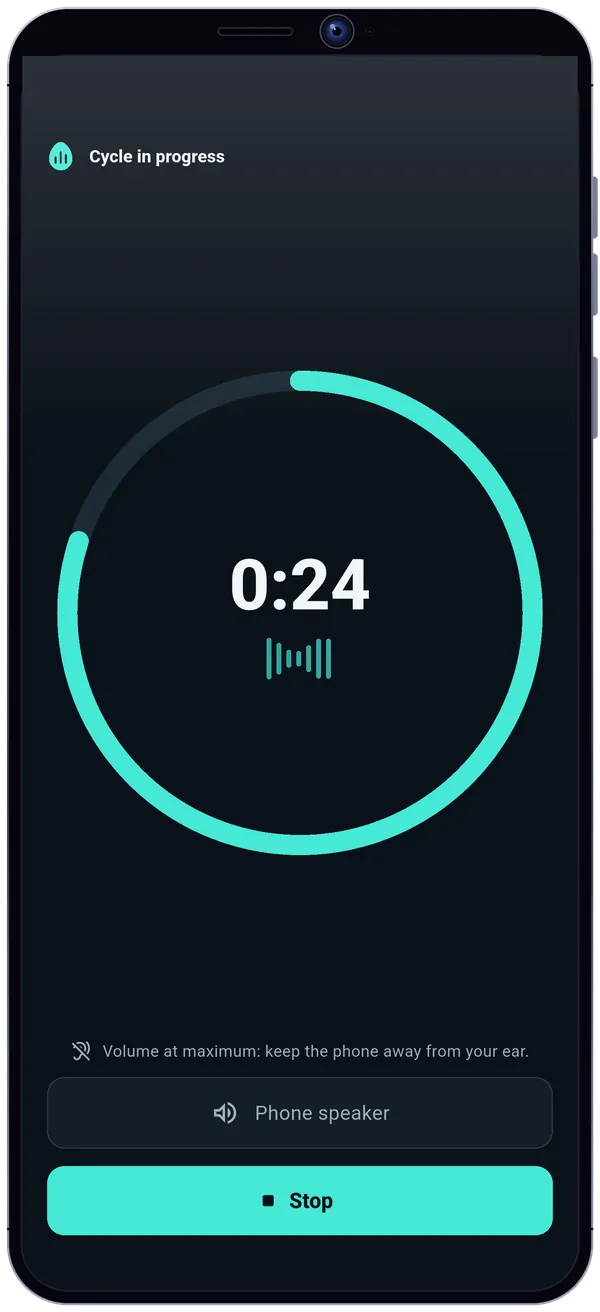
One cycle, one countdown
A single button, and a sound you hear right away.
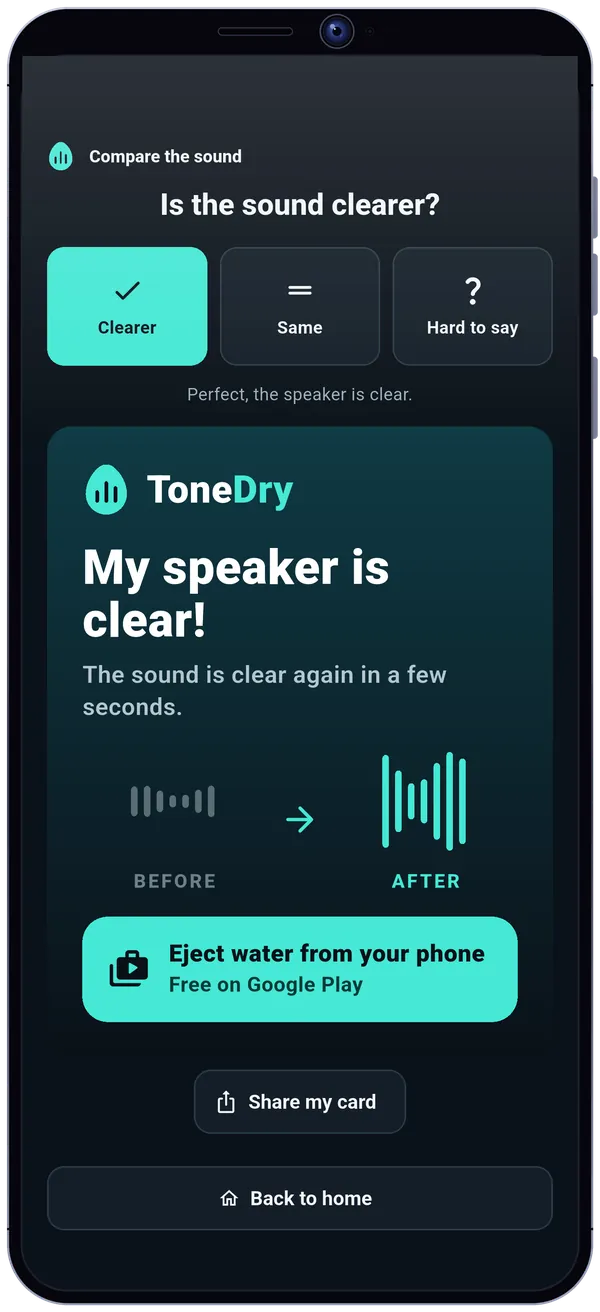
Is the sound clearer?
A guided before/after comparison, to know if it is clear.
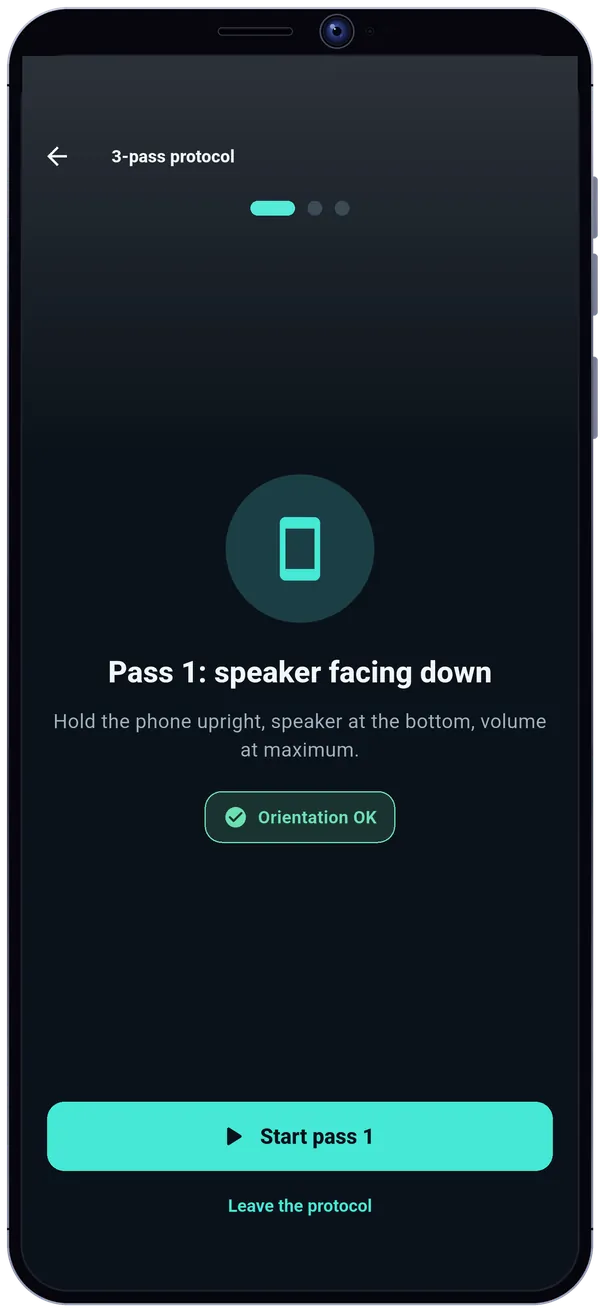
A 3-pass protocol
For stubborn cases, each pass tells you how to hold the phone.
Going further
Four cycles
Water, dust, deep clean, and vibration only with Pro.
One-tap launch
Widget, quick settings tile and icon shortcut.
Manual mode and calibration
A tone generator from 20 Hz to 20 kHz and, with Pro, a calibration for your own phone.
Six languages
English, French, Spanish, Portuguese, German and Italian, tablets included.
The microphone is never used
The sound is generated by the app itself: it needs neither the microphone, nor an account, nor your location.
No recording
The app never asks for the microphone permission.
Your settings stay with you
On your phone, with “Erase all my data” in the settings.
Third-party services, never your sound
Google Play and RevenueCat for Pro, Google AdMob for the free version's ads (after your consent), anonymous crash reports you can turn off, and recommendations of other apps you can hide.
Free
- Water, dust and deep clean cycles
- Sound test and stereo test
- Before/after comparison and 3-pass protocol
- Speaker test from 20 Hz to 20 kHz
- Widget, tile and icon shortcut
- Aqua and Ocean themes, light and dark
With Pro
- Adjustable frequency from 20 Hz to 20 kHz and calibration
- Continuous and pulsed modes, presets
- Cycle duration of your choice
- Vibration mode, alone or with sound
- Coral and Lavender themes
- No ads
Pro: a single, lifetime payment, no subscription, restorable. Three optional support payments also exist: they remove ads and unlock nothing else.
ToneDry, the app to eject water from your phone's speaker
ToneDry (ToneDry: Eject Water) is an Android app that plays a low, undulating sound cycle to help push out water trapped in your phone's speaker after a splash, a swim or rain. You turn the volume up, unplug headphones and Bluetooth, hold the phone with the speaker facing down and start a 30-second cycle, with a clear countdown and a button to stop at any time.
You then compare the sound before and after: clearer, same or hard to say. The app offers four cycles (water, dust, deep clean and vibration only), a guided 3-pass protocol, a sound test and a stereo test to check the left and right speakers separately, and a speaker test sweeping from 20 Hz to 20 kHz. A widget, a quick settings tile and an icon shortcut start a cycle in one tap.
The sound is generated by the app: the microphone is never used and there is no account. The free version contains ads; Pro, a one-time lifetime purchase, removes them and adds adjustable frequency with calibration, continuous and pulsed modes, presets, a cycle duration of your choice, vibration mode and extra themes. ToneDry helps clear water but does not replace full drying or a repair.
ToneDry: frequently asked questions
How do I get water out of a phone speaker?
Turn the volume up, unplug headphones and Bluetooth, hold the phone upright with the speaker facing down, then start a 30-second ToneDry cycle: a low, undulating sound vibrates the speaker membrane to help the water out. Then compare the sound and repeat if needed.
Why does my phone sound muffled after a swim?
Water can stay trapped in the speaker and keep the membrane from vibrating freely, which muffles the sound. Vibrating the membrane with a low sound helps clear it.
Is ToneDry safe for the speaker?
The cycle is short (30 seconds by default) and played loud: keep the phone away from your ear and keep a reasonable volume in manual mode. A loud, prolonged sound can strain a speaker, which is why cycles are brief.
Does ToneDry use the microphone?
No, never. The sound is generated by the app itself and it does not ask for the microphone permission.
Can the app repair a wet phone?
No. It helps clear water from the speaker, but it does not replace full drying or a repair. If the device was submerged for a long time or stopped working, see a professional.
What is the difference between the four cycles?
The water cycle sweeps around 165 Hz, the dust cycle sends pulses at 260 Hz, deep clean sweeps from 100 to 1,200 Hz, and vibration only shakes the phone without sound (with Pro).
Is the app free?
Yes, with ads. A one-time Pro purchase removes them and adds adjustable frequency with calibration, continuous and pulsed modes, presets, a cycle duration of your choice, vibration mode and extra themes. There is no subscription.
Where can I download ToneDry?
On Google Play: tap the Google Play button on this page. The app is available in English, French, Spanish, Portuguese, German and Italian.